Tips for best YouTube live waiting screen text engagement
"The screen stays dark, the chat begins to scroll, and the anticipation builds before the first word is even spoken."
Effective YouTube live waiting screen text serves as a digital foyer that manages viewer expectations and encourages early engagement. To boost live viewer traffic, creators should use clear, time-sensitive language that informs the audience exactly when the broadcast begins.
This guide focuses on phrasing that builds momentum, while noting that text effectiveness depends heavily on the specific niche and audience interaction style.
* Use countdowns to create a sense of urgency. * Include the specific topic of the stream. * Display social media handles for off-stream engagement. * List upcoming segments to encourage longer watch times.
How can YouTube live waiting screen text boost viewer traffic?
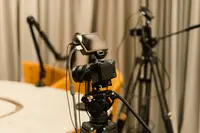
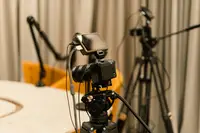
At midnight in the quiet studio, I feel the warmth of the monitor as I type new text for my youtube waiting screen.
A creator sits in a dim studio, adjusting the microphone while the "Starting Soon" graphic glows on the monitor. They type a final sentence into the text overlay, ensuring the font is legible even on small mobile screens.
Using purposeful YouTube live waiting screen text helps bridge the gap between a user clicking a notification and the actual start of the program.
By clearly stating the topic, you provide a reason for the viewer to stay. If a viewer sees "Deep Dive into Physics" instead of just "Live," they are more likely to commit to the wait.
This approach utilizes live stream screen copy ideas to transform a passive waiting period into an active period of anticipation. This strategy helps ensure that the audience is ready to engage the moment the camera turns on.
- Hook viewers with a compelling question. 2. Provide a clear countdown or start time. 3. Direct them to join the live chat immediately.
What waiting screen phrases will boost my engagement?
In the dim studio at dusk, I tap my fingers nervously against the desk while pondering which youtube phrases will spark a reaction. The cursor blinks on a blank document as a streamer brainstorms ways to welcome their community. They consider how different words might trigger different emotional responses from the viewers waiting in the chat.
Finding the best waiting screen phrases requires balancing professional clarity with the unique personality of the channel.
One can increase live audience now by using phrases that invite interaction, such as "Drop your questions in the chat!" or "Tell us where you are watching from!" These prompts turn a static image into a social event.
Instead of letting the chat die, these phrases encourage users to begin talking to one another, which builds a sense of community before the host even arrives.
In this sequence, the second step is the longest.
How to write great live text for different stream types?
Late at night in the quiet office, I feel the cool breeze from the fan as I draft the youtube text for my lecture.
A professional educator prepares a lecture, carefully selecting words that reflect an academic tone. They want the waiting screen to feel like a classroom entrance, organized and purposeful.
To date, Khan Academy has produced over 20,000 videos with over 1.7 billion views on YouTube, according to Khan Academy.
Learning how to write great live text involves matching the linguistic style of the overlay to the intended atmosphere of the broadcast.
Educational channels often benefit from more structured information. For instance, a channel might list the specific learning objectives or the schedule of the session. This differs from a gaming stream, where high-energy, informal language might be more appropriate.
The goal is to ensure the text acts as a consistent extension of the creator's brand identity.
How can I use live strategy to grow my viewers?
The streamer reviews their analytics, noting a spike in viewers during the first five minutes of the previous broadcast. They realize that the waiting screen was too long and lacked any informative content.
Implementing a better live strategy for viewer growth means treating the waiting period as a vital part of the content itself.
A successful strategy includes: 1. Displaying a clear countdown timer to reduce uncertainty. 2. Highlighting a "Topic of the Day" to provide immediate value. 3. Reminding viewers to subscribe or join a membership program.
After setting these elements, I always check the text on my mobile phone to ensure the words are not obscured by the chat window.
What is the limitation of using text overlays?
The creator notices that despite the beautiful graphics, the text is hard to read against a busy background. They realize that no matter how clever the wording is, visual clarity remains the primary hurdle.
A limitation of this method is that text-heavy screens can become distracting or unreadable if the background animation is too complex or if the font size is too small for mobile users.
Comparing waiting screen styles
| Style | Primary Goal | Typical Content |
|---|---|---|
| Informational | Clarity | Topic, Schedule, Countdown |
| Social | Engagement | Chat Prompts, Social Handles |
Wikipedia: YouTube in education (full) Based on the retained excerpt mentioning Pew Research Center: A 2018 Pew Research Center survey found that 51% of YouTube users say the platform is very important for helping them learn new skills, representing 35% of all U.S.
- How can YouTube live waiting screen text boost viewer traffic?
- What are the best waiting screen phrases for engagement?
- How to write great live text for different stream types?
This part also covers Optimizing waiting screen content.
Related

Comments 0