Instagram live waiting screen text tips guide best audience
"The first few seconds of a live stream determine whether a viewer stays or scrolls past."
This strategy involves using clear, engaging messages to inform viewers of the upcoming topic or countdown, ensuring they remain on the stream.
* Use direct topic announcements to prevent early exits. * Implement a countdown to create a sense of urgency. * Invite engagement through questions or prompts. * Keep text legible and centered on the vertical screen.
How do I write great Instagram Live waiting text?
A creator sits in a dimly lit room, adjusting a ring light while staring at a smartphone screen. They tap the screen to upload a static graphic that serves as the placeholder before the broadcast begins. This initial visual is the first point of contact for the rep.
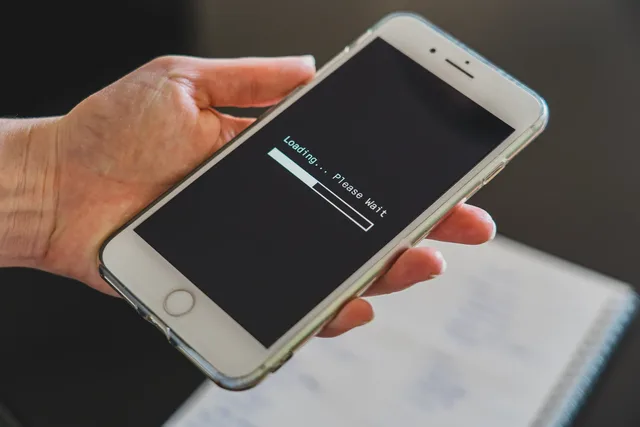
The most effective Instagram live waiting screen text serves as a bridge between the notification and the actual content. Instead of a blank screen, use words that explain exactly what the viewer is about to see. This prevents the confusion that often leads to immediate scrolling.
Providing a clear topic helps the audience decide to stay.
Using live stream pre-show copy ideas allows you to prime your audience for the discussion. If you are hosting a Q&A, the text should explicitly say, "Q&A starting in 3 minutes." This directness manages expectations and reduces the bounce rate of new viewers joining the stream.
Effective text should be concise, high-contrast, and clearly communicate the value proposition of the upcoming stream.
How to craft engaging pre-stream captions? Instagram live waiting screen text
A hand reaches for a tablet to type out a short, punchy sentence. The glow of the screen illuminates a workspace filled with notebooks and coffee mugs. The creator is searching for the right way to phrase a prompt that encourages comments.
Developing engaging pre-stream captions requires a balance of information and mystery. You want to give enough detail to pique interest without revealing everything. A good strategy involves asking a question that the live broadcast will eventually answer.
This creates a psychological loop where the viewer feels they must stay to find the resolution.
When applying these principles, follow these steps to refine your approach:
- Identify the core value of your upcoming broadcast. 2. Draft three variations of a short, catchy headline. 3. Select the one that most clearly defines the "why" for the viewer.
I once spent twenty minutes testing different phrasing for a simple countdown to see which one prompted more "heart" reacts in the chat. After the final check, I found that "Get ready!" worked significantly better than "Starting soon."
- Start with a hook that addresses a specific pain point or curiosity. 2. Provide a brief overview of what will be covered. 3. Include a clear call to action, such as 'Turn on notifications' or 'Drop a question below'.
Can my waiting screen messages drive more traffic?
The creator checks the analytics on a laptop, watching the viewer count climb as the scheduled time approaches. Outside the window, the sun is beginning to set, casting long shadows across the desk. The momentum of the live event is building.
A well-designed waiting screen message strategy acts as a silent host. It greets people as they enter the digital room. By the time you actually go live, the text has already begun the work of community building. This method is essential for driving traffic to the live session effectively.
For those looking for specific ways to implement this, consider these live broadcast message design principles. You should ensure the text is large enough to read on small mobile devices. Avoid placing text at the very top or bottom where the interface elements might obscure your message.
Strategic messaging creates anticipation, encouraging users to stay on the stream rather than scrolling past during the loading phase.
Does the text impact viewer retention?
A person scrolls through a feed on a smartphone while sitting on a bus. They see a notification for a live stream and tap it, only to see a dark, silent screen with no information. They quickly swipe away to the next post.
Retention is heavily influenced by the first impression of the broadcast. If the waiting screen is empty, the viewer lacks a reason to wait. Using specific text helps bridge the gap between the notification and the visual arrival of the host.
This is a crucial part of managing the audience's attention span.
The waiting screen is not just a placeholder; it is a marketing tool. It provides a moment to reinforce your brand voice. Whether you are professional or casual, the tone of your waiting text should match the energy of the upcoming video.
Yes, setting expectations through text helps viewers understand the stream's purpose, making them more likely to stay once the broadcast begins.
What are the limitations of waiting screen text?
The creator stares at a screen where the text seems to disappear behind a new notification pop-up. The room is quiet, and the only sound is the hum of a computer fan. The technical reality of the platform presents a challenge.
A limitation of this strategy is that text cannot compensate for a lack of interest in the subject matter itself. If the topic does not resonate with the audience, even the most clever text will not prevent them from leaving. The text is a tool for clarity, not a substitute for quality content.
| Strategy Element | Primary Benefit |
|---|---|
| Topic Announcement | Reduces viewer confusion |
| Countdown Timer | Builds anticipation |
Text cannot compensate for poor audio quality or a lack of visual engagement once the live session actually starts.
- Effective Instagram live waiting screen text guides your audience by setting expectations and building anticipation before the camera turns on.
- To succeed, you should focus on clarity, use a specific countdown, and include a call to action, though success depends heavily on the existing interest in your specific niche.
- According to Super League, there are ways to watch Super League Grand Final 2026 live streams from anywhere, and potentially even for free.
Best text for Instagram live audience
Related
- Instagram engagement strategies: Guide to build community
- Instagram content flow strategy: 24 hours Guide to content
How does the initial text affect the first few seconds?
- The first few seconds of a live stream are critical for viewer decision-making. 2. Clear waiting screen text immediately informs the viewer about the content they are about to consume. 3. This initial communication prevents the viewer from assuming the stream is broken or irrelevant, thereby encouraging them to wait.
This immediate context provided by the text manages the viewer's initial perception, which is paramount during those first few seconds. If the text is vague, the viewer may perceive a delay as a failure of the broadcast itself, leading to immediate departure.
Effective text acts as a proactive measure against the typical behavior of scrolling past uninformative content. It gives the audience a specific reason tied to the topic to remain engaged during the pre-show period.
The initial text acts as a bridge, transitioning viewers from passive scrolling to active listening by priming their interest immediately.





Comments 0