TikTok live screen text ideas: How to guide audience best
"A waiting screen is not just a pause; it is the first handshake with your audience before the real conversation begins."
Effective TikTok live screen text ideas focus on setting expectations and building anticipation during the pre-stream period. You should use clear, concise wording that tells viewers what is coming, when it starts, and how they can interact with you immediately. 1. State the specific topic or theme of the upcoming broadcast. 2. Provide a clear countdown or scheduled start time. 3. Include calls to action, such as following the account or joining a discussion. * Keep text minimal to avoid cluttering the visual space.
How can I use TikTok live screen text ideas to build hype?
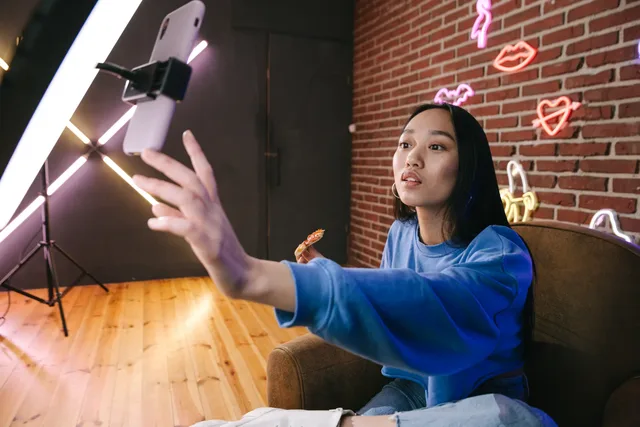
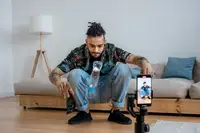
A creator sits in a quiet room, adjusting the ring light while the mobile device displays a static graphic. The screen shows a simple message: "Starting in 5 minutes: Unboxing the New Collection." This immediate clarity prevents viewers from scrolling past due to confusion.
Using TikTok live screen text ideas allows you to bridge the gap between a user landing on your stream and the actual content delivery. Instead of a blank screen, you provide a roadmap.
This strategy ensures that the initial audience members stay engaged rather than leaving because they do not know the purpose of the broadcast.
Effective waiting screen copy should act as a preview. If you are a chef, the text might suggest "Cooking Spicy Ramen Soon." If you are a gamer, it might read "Ranked Match Starts Shortly." This approach transforms idle time into a period of mental preparation for the viewer.
What are the best waiting screen texts for my niche?
Late at night in my quiet bedroom, I squint my eyes while adjusting the TikTok waiting screen text to match my niche. At midnight in my bedroom, I squint at the glowing monitor to select the best live waiting screen text options for my TikTok broadcast.
A streamer taps the screen to update the text, changing it from "Welcome" to "Q&A Session: Ask Me Anything." The blue light of the monitor reflects in their eyes as they wait for the viewer count to climb.
Selecting the right words depends heavily on your specific content category. Different niches require different tones to be successful.
| Content Niche | Recommended Text Style | Primary Goal | |
|---|---|---|---|
| Educational | "Topic: History of Art | Starting Soon" | Establish Authority |
| Entertainment | "Live Music & Chill | Join the Vibe" | Set Atmosphere |
| Retail/Sales | "Flash Sale Starts at 8 PM" | Drive Urgency |
Using TikTok stream caption tips, you can tailor these messages to match your brand voice. A professional educator will use formal language, while a lifestyle influencer might use casual, emoji-heavy phrases.
How can I use engaging waiting screen phrases?
The creator pulls up a notepad, writing down three short phrases to rotate on the screen. They check the lighting one last time before hitting the "Go Live" button, ensuring the text is legible against the background.
To implement a successful strategy, follow these three steps:
- Design a background that provides high contrast for your text so it is readable on small mobile screens. 2. Write a primary headline that declares the "What" (the topic) and a secondary line for the "When" (the time). 3. Add a small instruction, such as "Tap the screen to say hi," to encourage early engagement.
After setting these up, perform a final check by viewing your own stream from a secondary device to ensure the text does not overlap with the live comments or the user interface elements. I found that testing the text placement prevents vital information from being covered by the chat box.
How do I master TikTok live strategy screen layouts?
A hand moves a text box slightly to the left on the editing interface. The creator ensures the words "Live in 10 Minutes" are not obscured by the profile icon or the "Gift" buttons.
Developing a TikTok live strategy screen requires an understanding of the app's interface. You must place your text in "dead zones" where it will not interfere with the interactive elements of the live broadcast.
When you focus on how to write great live text, you realize that brevity is your best friend. Long sentences are difficult to read as people scroll quickly. Stick to short, punchy phrases that can be processed in under two seconds.
What is the limit of using text on a waiting screen?
The creator looks at the screen, noticing that the text is becoming too crowded with too many instructions. They delete the third line of text to restore clarity to the image.
As reported by the Dutch Data Protection Authority, TikTok was fined €750,000 in July 2021 for offering privacy statements only in English but not in Dutch.
As reported by the Italian Data Protection Authority, the agency demanded that TikTok temporarily suspend Italian users whose age could not be established on 22 January 2021.
A significant limitation is that excessive text can distract from the visual aesthetic of your brand. If the screen is covered in too many different fonts or colors, the viewer may feel overwhelmed rather than invited.
The same subject is also called Live broadcast screen wording.
Related
- TikTok content guide: How to become an active creator now
- Boost TikTok User Engagement: Best ways to increase reach
When is the waiting screen most effective?
- The waiting screen is most effective when the content has a distinct, high-value proposition for the viewer. 2. This proposition should be communicated instantly through the waiting screen text. 3. If the content is vague, the waiting screen functions merely as a placeholder rather than a strategic tool for audience building.
When comparing different types of broadcasts, the waiting screen text must align with the broadcast's intent; a retail waiting screen should emphasize scarcity, while an educational waiting screen should emphasize knowledge transfer.
This alignment ensures the viewer perceives the waiting screen as part of the overall content value.
Using the waiting screen proactively allows the creator to manage the initial perception of the stream, which is crucial for viewer commitment before the main event begins.


Comments 0